Nexus, one tap away.
Install TextNexus on your phone or computer and it opens full screen with its own icon — no app store, no download and no second account. Pick your device below; the whole thing takes about thirty seconds.
- ~30 secThree short steps
- 0 MBNothing to download
- AutoUpdates with the site
Add Nexus to your home screen
Chrome or Microsoft Edge on Android. Both install Nexus the same way.
-
Open Nexus in Chrome
Go to textnexus.me in Chrome. If you’re already inside Nexus, open the address bar and type the address so the full site is loaded.
-
Tap the three-dot menu
Chrome’s three-dot menu sits in the top-right corner. Open it and choose Add to Home screen — newer versions label it Install app.
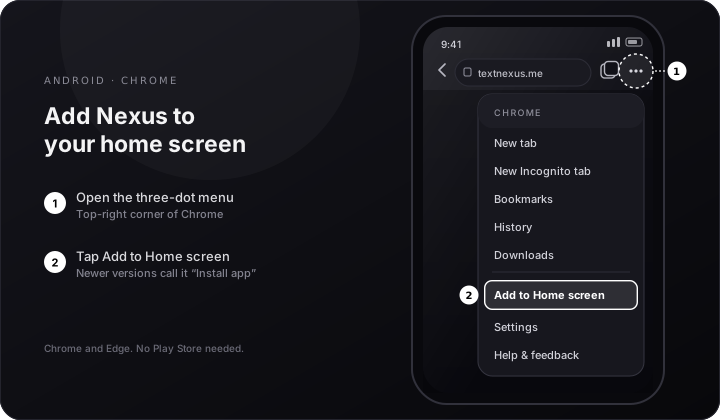
1 · Three-dot menu 2 · Add to Home screen -
Confirm the install
Tap Install in the prompt. The Nexus icon lands on your home screen and in your app drawer, ready to open full screen.
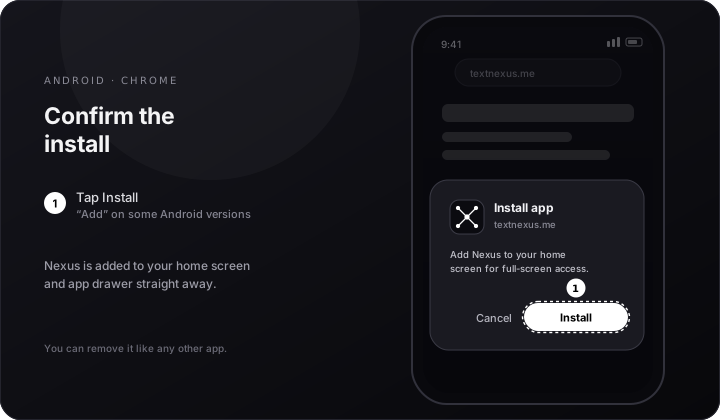
Tap Install · nothing is downloaded
Safari only. On iPhone and iPad, Chrome and Firefox cannot add a site to the home screen — open Nexus in Safari first.
-
Open Nexus in Safari
Visit textnexus.me in Safari. If you normally use another browser, copy the address into Safari for this one step.
-
Tap the Share button
It’s the square with an arrow pointing up in the toolbar. On iPad it sits at the top of the screen; on iPhone it’s in the bottom toolbar.
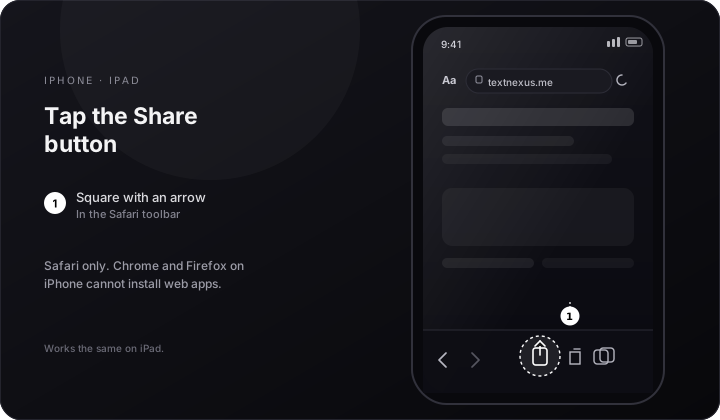
The Share button in Safari -
Choose Add to Home Screen
Scroll the share sheet if you don’t see it, then tap Add to Home Screen and confirm with Add in the top-right corner.
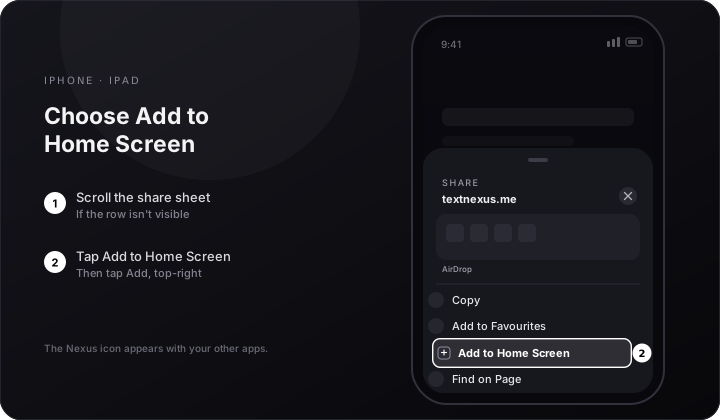
Add to Home Screen · then Add
Chrome or Edge on Windows, macOS or Linux. Nexus opens in its own window and gets a dock, taskbar or launcher icon.
-
Open Nexus in Chrome or Edge
Head to textnexus.me. Give the page a second to finish loading so the browser offers the install option.
-
Click the install icon
A small screen-with-an-arrow icon appears at the right end of the address bar. Click it and choose Install.
No icon? Open the browser menu and choose Cast, save and share → Install page as app.
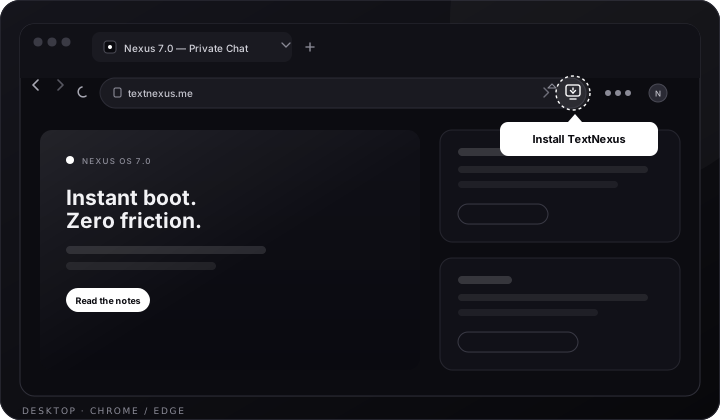
The install icon lives in the address bar -
Launch it like any app
Confirm the install and Nexus opens in a standalone window. Pin it to your dock or taskbar, or find it in your app launcher.
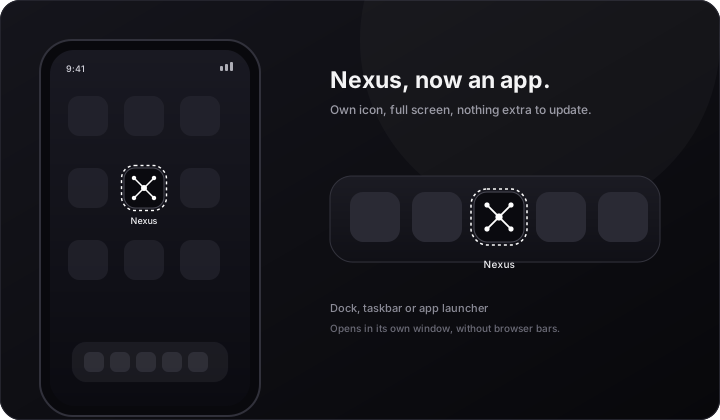
Same Nexus. Less browser.
- Its own icon on your home screen, dock or taskbar.
- Full screen, with no address bar in the way.
- The same private workspace, account and rooms.
- Updates arrive automatically — there is nothing to re-download.
Changed your mind? Remove it like any other app: long-press the icon on mobile, or use the app menu in the standalone window on desktop.
If the option isn’t there
I don’t see an install option
Check the browser: Chrome or Edge on Android, Safari on iPhone and iPad, and Chrome or Edge on desktop. The option also disappears if Nexus is already installed on that device. Firefox on desktop cannot install web apps — bookmark textnexus.me instead.
Is this a real app?
It’s an installable web app: the browser adds a shortcut and opens Nexus in its own window. There is no store listing and nothing to download, so it always runs the current version of the site. Chat and file sharing still need an internet connection.
How do I uninstall it?
On Android, long-press the Nexus icon and choose Uninstall or Remove. On iPhone or iPad, long-press the icon → Remove Bookmark → Delete. On desktop, open the installed window’s menu and choose Uninstall TextNexus.
Does it work offline?
Nexus opens offline and shows the offline screen, but chat, Ghostlink and AI need a connection. Installing doesn’t change that — it just gives Nexus its own window and icon.